AI Animation Generator

Model

Visual references

0 / 8,600

Duration
Aspect ratio

AI Animation Generator

Create a short animated video from a description or reference images. Choose a video model, set the length and frame, and direct the style and motion.

Animation ideas to try

Watch each scene, then load a suggested prompt and adjust it for your own character or setting.

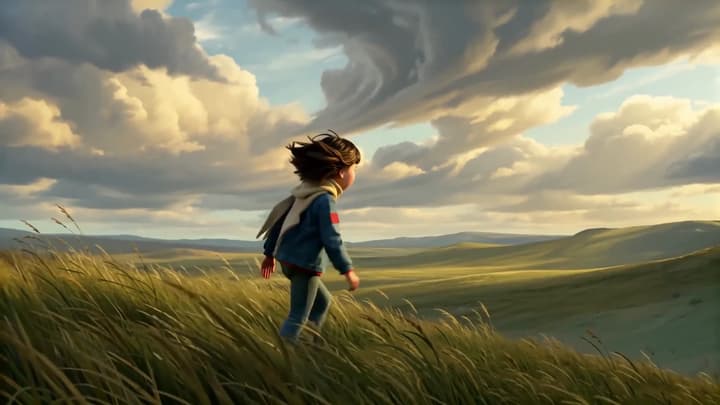
Across the hillside

A running character and a widening camera reveal the landscape together.

Try this idea
Suggested prompt

Stylized 3D animation of a young woman with short dark hair and a yellow scarf running across a windswept grassy hillside. Track her from the side, then smoothly pull back to reveal rolling hills beneath a dramatic sunset sky. Keep her stride, clothing and silhouette consistent. Wind in the grass, no text or dialogue.
Animation example

Bring a visual idea into motion

Explore character animation, drawn environments and graphic styles. Direct a single scene with the look and movement your project needs.

Character and camera

Open up the scene

Pair a simple character action with a camera move that reveals the setting.

Tactile animation

Give materials a role

Describe how felt, paper or clay should look and move throughout the shot.

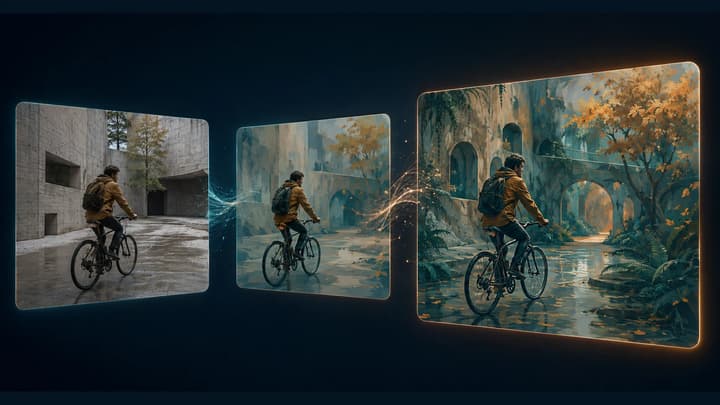
Visual transformation

Direct a change over time

State the starting arrangement, the transformation and the shape the scene should settle into.

Crafted worlds

Move through a miniature

Use layered scenery and a clear travel direction to give a small world depth.

Create a short animation

01

Start with an idea or image

Describe a scene or add reference images within the selected model’s limit. State which image guides the character, setting or style.

02

Direct the motion

Name one action, the visual style and a camera direction. Choose a model, supported length and aspect ratio, then check the credit quote.

03

Review and continue

Watch the whole clip for changes in faces, shapes and motion. Download a take, re-edit its inputs, or continue with video editing and extension.

Animation questions

Can I start with text only?

Yes. Describe a subject, setting and action. Specify 2D, 3D, anime or another style in the prompt. Without a style reference or instruction, the default direction uses a stylized 3D look.

Can I animate a reference image without writing a prompt?

Yes. Add an image and leave the description empty for subtle motion based on its content. References guide appearance and style. Use Frame to Video when an exact opening frame is important.

Which settings can I choose?

Choose a compatible video model, duration and aspect ratio. Available options and output resolution follow the selected model. Native sound is enabled, with quiet ambience requested by default.

Can this make a complete animated film?

Each generation returns one short video. You can develop a sequence shot by shot, then assemble selected clips, dialogue, music and subtitles in your video editor.

Can I turn existing footage into animation?

Use Video to Video for an overall restyle of existing footage. This generator starts a new animated scene from text or images.

Does loading an example use credits?

No. Loading an example is free. It fills an editable prompt and settings. Credits are charged when you submit a generation at the displayed price.