How to Use AI Motion Control

Prepare a character image and motion video, match their framing, choose settings and check the resulting performance.

LumiYing TeamUpdated

Start with a pair that can move together

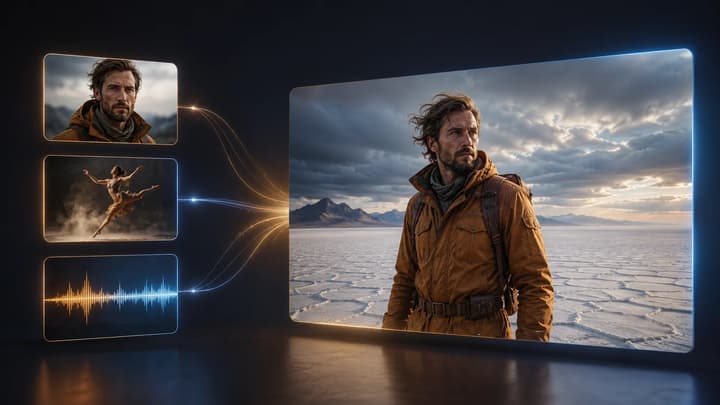
The reference video gives the action an order and tempo. Your image supplies the character's face, clothes and setting. A useful pair shows the same body parts and begins from a similar direction.

For a first attempt, use a single person, a steady camera and one readable movement. Trim a longer source to the action you need. A full-body walk needs visible feet in both inputs, while a seated hand gesture can use a closer crop.

Prepare, generate and compare

  1. Step Pick the action first

    Choose a continuous clip with one clear performer. Start before the key movement, keep hands and feet visible, and end after the action settles. Remove cuts and long idle sections.

  2. Step Match the character image

    Use a clear face and a body crop that covers the planned movement. Match front, side or three-quarter orientation to the start of the video. Leave room for the arms and legs to move.

  3. Step Set up the transfer

    Choose a model and upload both files. Add only useful scene directions, such as keeping a coat or setting. Review the displayed duration limits and credits. Generate after the media has finished loading.

  4. Step Review from beginning to end

    Compare action order, left-right direction, pauses and body balance. Check whether the face, clothing and background remain recognizable. Re-edit with a simpler source if the movement becomes ambiguous.

Choose settings for the source

The selected model determines which controls apply.

What to check before generating

Motion clip
One continuous action
Cuts and multiple performers make the motion target less clear.
Starting pose
Similar crop and body direction
A large opening pose change can distort the character before the action begins.
Model and duration
Use the limits shown in the form
Seedance models offer their supported output settings. Kling 3 follows a 3–10-second reference here and hides automatic settings.
Scene direction
A short, consistent instruction
Ask to preserve the image's outfit and setting. Conflicting action instructions compete with the video reference.

Three pairs to study

Play the reference and example video, then compare the specific movement described below.

A rooftop run

The run makes timing easy to inspect. Compare the arm swing, stride rhythm and chest direction. A result can keep the suit while still losing the reference's balance.

Motion reference

Character image
Example video
Scene direction

Keep the character's futuristic suit and rooftop setting. Transfer the running motion from the video with natural arm swings and consistent body proportions.
Load this example

A slow tai chi sequence

Slow tai chi exposes small discontinuities. Watch each arm transition and weight shift, then check that the planted foot stays stable.

Motion reference

Character image
Example video
Scene direction

Keep the silver outfit, elderly character and lakeside setting. Follow the slow tai chi movements, preserving the direction of the arms and the controlled weight shifts. Keep the sword visible and stable in the hand.

Load this example

Balance on a wave

The surfing example adds contact with an object. Watch the feet against the board and the body's lean. A floating foot is a reason to simplify or replace the reference.

Motion reference

Character image
Example video
Scene direction

Keep the surfer's appearance, clothing and ocean setting from the image. Follow the reference body movements while maintaining believable contact with the surfboard.

Load this example

Fix the visible problem

Hands warp or disappear
Hands overlap the face, body or frame edge
Use a slower, unobstructed gesture with room around the hands.
The opening pose jumps
Image and video begin facing different directions
Choose a closer starting pose or trim the video to a compatible frame.
Feet slide or an object drifts
The full body or contact point is hidden
Use a wider source and a simpler action with visible contact.
The face or clothes change
Motion is extreme or the reference image is unclear
Use a sharper image and reduce turns or occlusion before retrying.
Motion control AI questions

Motion control AI questions

What should I upload?

Use one clear image and one short, continuous video with a single visible performer. Keep relevant hands and feet inside the frame. The form shows the selected model's file and duration limits.

Can I choose the model?

Choose a compatible model and review its input limits and credit estimate in the form.

Will every movement match exactly?

Results vary with the model, pose, framing and visibility of the movement. Fast cuts, hidden limbs, extreme turns and very different body shapes can cause drift. Review the entire clip.

Try a character and motion pair