How to Make Video Ads with AI

Choose one offer, show it in a short scene and check whether the viewer can understand it before the clip ends.

LumiYing TeamUpdated

Choose a benefit the camera can show

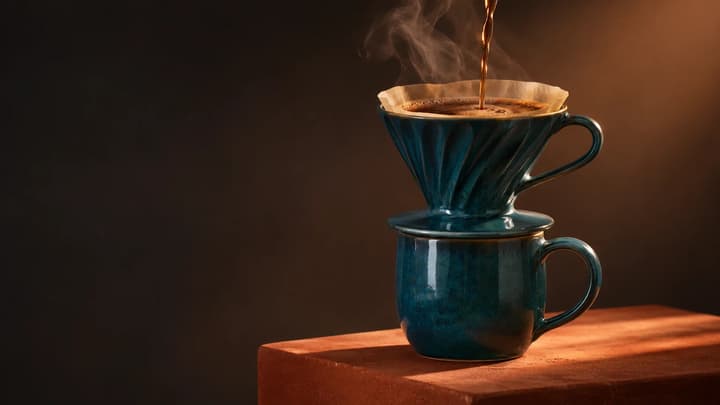
A coffee bar can show a fresh pour. A pottery class can show hands shaping a cup. A bottle ad can show the finish of its glass. Start with a visible action that supports your offer, then write the line around it.

Use one main message for the first clip. Supply the product facts, audience and any real offer yourself. Keep claims specific enough to check against the finished video.

From ad brief to a usable clip

  1. Step 01 Name the offer and audience

    Write what you are promoting and who it is for. Replace “make an exciting ad” with a concrete direction, such as a morning coffee pour for people passing a local café.

  2. Step 02 Assign each reference a role

    Use matching views of one product variant. Say which image supplies the object, person or setting. Choose a clear angle close to the planned shot. Image order alone does not define a sequence.

  3. Step 03 Describe the opening, action and ending

    Make the offer recognizable in the opening frame. Describe one demonstration and a final hold. For a few shots, state their order and use a supported duration long enough for each action.

  4. Step 04 Fit speech to the chosen duration

    Put dialogue or narration in quotes and keep camera directions outside them. Read the line aloud with the planned action. Shorten it or choose a longer duration if the ending feels rushed.

  5. Step 05 Generate and check the complete ad

    Choose the frame for its placement, check the credit quote and generate. Watch with sound, pause during product movement, and compare the result with your photos and brief. Add exact offer text and branding in your editor.

Match the shot to the offer

Three brief patterns

Physical product
Show one material, feature or use in close-up.
Shape, color and mechanism stay consistent.
Local service
Show the service being performed or delivered.
The action and result are clear without a long explanation.
Class or event
Show one activity a visitor can take part in.
The scene matches the event you are actually offering.

Ad prompts and shot references

Compare the framing and action, then load a suggested prompt and reference image for your own ad.

A perfume detail

Use light and a slow camera move to reveal the bottle.

Load this example
Suggested prompt

Create a short perfume ad from the reference. A frosted square bottle with a silver cap rests on stacked smooth stones beside a purple flower. Begin with the whole bottle visible, then make a slow, small push-in as soft reflections travel across the glass. Keep the bottle, cap, flower and stone shapes consistent. Cool grey studio light, realistic materials, quiet ambient sound. End on a steady product view. No dialogue or on-screen text.

Shot reference

Fix the part that is unclear

The product changes during movement
Conflicting reference views or a complicated turn
Use one variant and a smaller movement with a clear final view.
The offer is hard to understand
Too many messages or a vague opening
Show the main subject first and remove the extra claim or scene.
The line is cut off
Speech and action need more time
Shorten the line or increase the supported duration.
Price or brand text is wrong
Generated lettering is variable
Add exact text and your approved logo in the final edit.

Planning and output questions

How do I compare two ad versions?

Keep the product, frame and duration fixed. Change one opening, action or line, then check that both versions show the same offer before comparing campaign performance.

Should I use 9:16 or 16:9?

Use the frame required by your placement. Keep the product and any later text clear of interface overlays, and preview the exported ad in that placement.

Can I make a full ad campaign here?

This workflow generates one clip per submission. Build a longer ad, add exact captions and combine approved variants in your editing and campaign tools.

Create your video ad
