Seedance 2.5 vs Seedance 2.5 Flash

Both models are available on LumiYing. Use Flash for quick variations and Seedance 2.5 for larger reference sets and higher-resolution output.

LumiYing TeamUpdated

Which version fits your next video?

A polished product close-up or character performance
Seedance 2.5
Prioritize the small gestures, surface detail and shot interpretation that determine whether a final take is usable.
Several ad hooks or social-video variations
Seedance 2.5 Flash
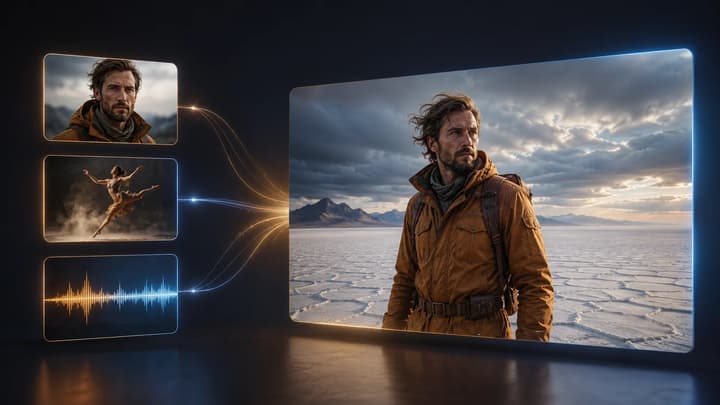
Generate ad variations and product stories with mixed references, synchronized sound, native editing and extension.
A scene with more than 10 image references
Seedance 2.5
The flagship accepts a larger reference set. Flash's announced limit is 10 images.
A video you need to make today on LumiYing
Seedance 2.5 Flash
Both models are available now. Flash offers faster 480p and 720p iteration, while Seedance 2.5 also offers 1080p and a larger reference allowance.

Seedance 2.5 vs Seedance 2.5 Flash at a glance

Compare clip length, reference limits and output settings. LumiYing's current controls and access status are listed below.

Generation focus
Higher audiovisual quality and creative control
Faster iteration at a lower generation cost
Speed
Flagship comparison baseline
Announced generation speed is nearly twice as fast
Clip length
Up to 30 seconds
Up to 30 seconds
Resolution
480p / 720p / 1080p on LumiYing. The flagship also has announced 4K support.
480p / 720p
Reference inputs
Up to 30 images, 10 videos and 10 audio clips
Up to 10 images, 5 videos and 5 audio clips
Sound and editing
Joint audio-video generation and video editing
Synchronized audio and video editing
LumiYing access
Available
Available

What to look for in the result

Character performance and camera direction

A prompt can be satisfied in several ways. Watch whether the camera reveals the detail your story needs, whether a gesture completes naturally, and whether the character keeps the intended expression through the cut.

Reference-heavy scenes

The flagship's larger input allowance matters when you need several characters, product angles or scene references in one request. For a simple shot, start with a small reference set and assign each asset a clear role.

Time spent reaching an accepted take

Generation time is one part of the production loop. Track the number of attempts and follow-up edits too. A quicker model helps when you are testing many directions, while a detailed final shot may justify more time on each attempt.

Compare the two on your own brief

Step 1

Set one shared scene

Keep the prompt, reference assets, aspect ratio and requested duration aligned. Use 720p for a comparison within both models' announced output options.

Step 2

Define the acceptance criteria

Write down three details to inspect, such as product geometry, a hand movement and dialogue timing. Review those same details in both outputs.

Step 3

Record the full iteration cost

Run the same brief in both generators and record queue time, generation time, credits and revisions for an accepted take.

How to read the price difference

LumiYing prices use the official USD rates and the shared Seedance 2.0 conversion rule. Reference-video requests also count the input video duration.

LumiYing 720p, without video references
18.5 credits per output second
12 credits per output second
5-second 720p clip, without video input
92.5 credits
60 credits

Watch the same-prompt comparison

These two takes use the same prompt. Compare the character's action and the camera's attention to the telescope.

One scene, two interpretations

Seedance 2.5 emphasizes the close-up of the character adjusting the telescope. Flash follows the continuous action of looking through it, lowering it and smiling.

Seedance 2.5
Seedance 2.5 Flash

Compare the camera direction and action continuity against the requirements of your own project.

Questions about Seedance 2.5 and Flash

Is Seedance 2.5 Flash always the better choice?

Choose around the shot's requirements. Flash is positioned for fast, repeated variations. The flagship offers a larger reference allowance and higher-resolution production options, which can matter for complex scenes and final delivery.

Can I use Flash on LumiYing now?

Both models are available now. Flash offers faster 480p and 720p iteration, while Seedance 2.5 also offers 1080p and a larger reference allowance.

How are LumiYing credits calculated?

Flash starts at 5.5 credits per second in 480p and 12 in 720p without video input. Video-input tiers cost 3.5 and 7.5 credits per billable second. Input and output video duration both count.

Can I start with the same prompt?

Yes. Keep the brief and references aligned for the first comparison. Then refine the camera direction, action timing or sound cues based on what each result needs. Save an accepted take and its settings for the next revision.

Choose the version for your next shot