How to Make AI Animation

Plan one animated shot, give references clear roles, and describe the style, action and camera. See motion examples and learn what to check before using a clip.

LumiYing TeamUpdated

Build one clear animated shot

Start with one character or setting, one visible action and a visual style. Write those separately, choose a short duration and generate a test clip. Review the entire take before extending it or creating the next shot.

A reference image can establish the design. Use a clear image with the important face, costume or object visible, and explain its role when adding several references. Remove images that disagree about the same detail. For a precise opening composition, start in Frame to Video.

From an idea to a usable animation

  1. Step 01 Write the action first

    Replace a vague request such as an exciting scene with a visible action, such as a felt bird bringing a worm to another bird. Leave room before and after the action for trimming.

  2. Step 02 Separate style, action and camera

    State the look, then the subject movement, then the camera. For example, wool-felt stop motion, a bird sharing a worm, fixed medium shot. A moving subject does not also need a moving camera.

  3. Step 03 Choose a short test

    Open the generator, add your description or references and pick a model. Start with a supported short duration and the final aspect ratio. Review the displayed credits. Keep the model and framing fixed while testing a prompt change.

  4. Step 04 Review before continuing

    Watch once at normal speed, then inspect the opening, midpoint and ending. Check the face, hands or paws, object edges and background. Save a usable take and its prompt before editing, extending or assembling it with other shots.

Choose how to start

Starting material

Description
The scene and character design are still open.
Name the subject, style and one action.
Reference images
A character, object or visual style is already defined.
Give each image one role and describe the desired motion.
Exact first frame
The opening composition must match an image.
Use Frame to Video and describe what happens after that frame.

Three ways to direct an animated shot

These scenes give you different review targets. Load a suggested prompt, then replace the character or setting as needed.

A bird brings a gift

Two felt birds share a worm beside a miniature birdhouse.

Shot idea

Build a small story around one interaction.

Animation example
Suggested prompt

Stop-motion-style animation of two small yellow wool-felt birds in a handmade miniature village. One bird waits on a nest beside a cardboard birdhouse. The other approaches with a small worm and shares it. Fixed medium shot, visible wool fibers, paper roofs and twine, warm soft lighting. Keep the beaks and worm coherent during contact. No text or dialogue.
Try this idea

Across the hillside

A running character and a widening camera reveal the landscape together.

Shot idea

Follow a clear action as the view opens up.

Animation example
Suggested prompt

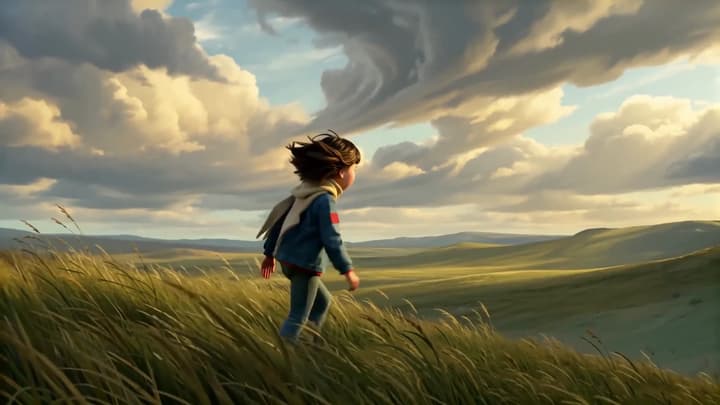
Stylized 3D animation of a young woman with short dark hair and a yellow scarf running across a windswept grassy hillside. Track her from the side, then smoothly pull back to reveal rolling hills beneath a dramatic sunset sky. Keep her stride, clothing and silhouette consistent. Wind in the grass, no text or dialogue.

Try this idea

A walk in folded paper

A tracking shot follows an origami cat through a layered paper neighborhood.

Shot idea

Let the material shape the movement.

Animation example
Suggested prompt

An orange origami cat walks from left to right through a detailed paper neighborhood. A smooth side-tracking camera follows its deliberate steps past folded houses, trees and a white picket fence. Preserve sharp creases and angular paper limbs throughout the walk. Warm studio lighting, crisp shadows, no text or dialogue.

Try this idea

Fix the part that breaks the shot

The character changes
Use a clearer reference, name the essential design details and reduce the amount of turning.
Face, hairstyle, costume and silhouette during movement.
The action is confusing
Reduce the prompt to one visible action. Remove extra cuts and keep the camera still for a test.
The action should be readable at normal playback speed.
The look changes mid-clip
Use one coherent style direction and remove conflicting appearance references.
Line weight, materials, palette and background texture.
The ending feels abrupt
Ask for a brief settle after the action. Select a longer supported duration when needed, or extend a usable take.
The final pose and the transition into the next shot.
Questions

Animation questions

Can I start with text only?

Yes. Describe a subject, setting and action. Specify 2D, 3D, anime or another style in the prompt. Without a style reference or instruction, the default direction uses a stylized 3D look.

Can I animate a reference image without writing a prompt?

Yes. Add an image and leave the description empty for subtle motion based on its content. References guide appearance and style. Use Frame to Video when an exact opening frame is important.

Which settings can I choose?

Choose a compatible video model, duration and aspect ratio. Options follow the selected model. Output is 720p with native sound enabled; the default direction asks for quiet ambience.

Can this make a complete animated film?

Each generation returns one short video. You can develop a sequence shot by shot, then assemble selected clips, dialogue, music and subtitles in your video editor.

Create a short animation