AI Album Cover Generator

Reference photo

0 / 30,200

Resolution

AI Album Cover Generator

Create square album covers from a description or photo. Set the mood, colors and lettering for your single, EP or album, then download your artwork.

AI Album Cover Generator

What is an AI album cover generator?

From an idea

Give your music a visual direction

Combine a subject, mood and palette to explore artwork for a single, EP or album.

From a photo

Start with your own portrait

Add one reference image and describe the background, lighting or style you want to change.

Title and artist

Include the words you choose

Quote the exact title and artist name, with placement instructions. Or ask for artwork without text.

Square artwork

Design for the small preview

Generate in 1:1 at 1K, 2K or 4K. Review the focal point and lettering at thumbnail size.

Album cover ideas and prompts

Explore eight directions, from lo-fi scenes to portrait covers. Load an example to edit its inputs before generating.

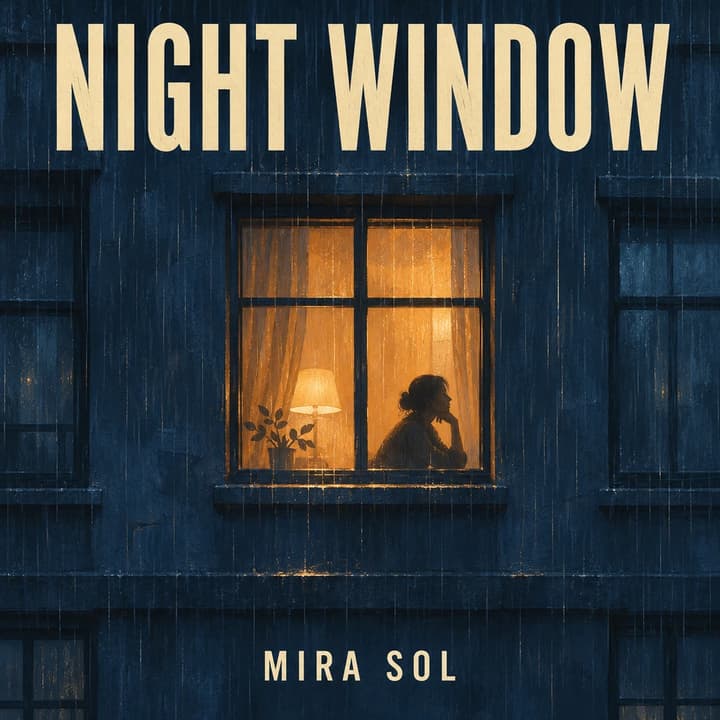
Lo-fi night scene — An amber window gives the dark facade one clear focal point.

Lo-fi night scene

An amber window gives the dark facade one clear focal point.

Cover description

Lo-fi painted midnight-blue apartment facade, one amber window with a silhouette, rain texture. Large cream title NIGHT WINDOW at top; small artist MIRA SOL at bottom.

Load this example
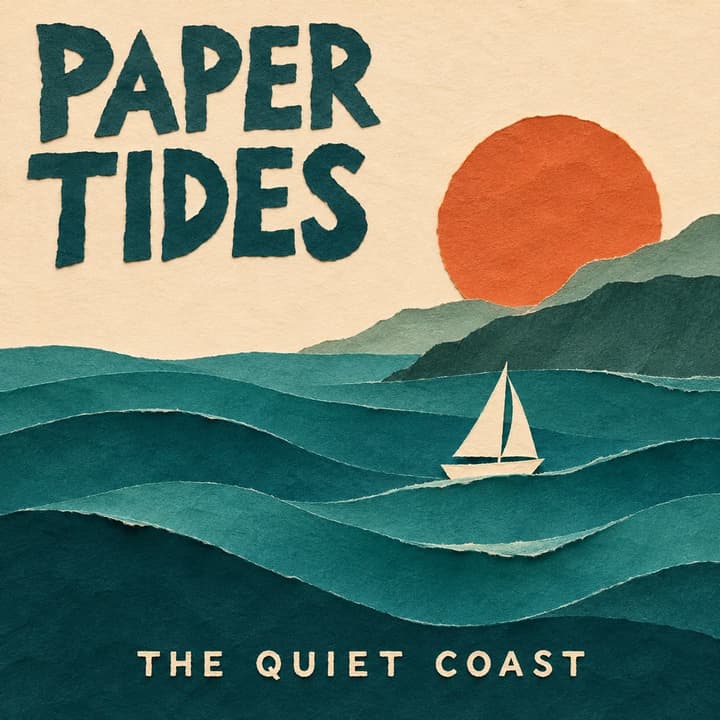
Paper-cut indie folk — Tactile waves and a simple sailboat create a quiet coastal mood.

Paper-cut indie folk

Tactile waves and a simple sailboat create a quiet coastal mood.

Cover description

Layered paper-cut teal waves, white sailboat, terracotta sun, cream sky. Title PAPER TIDES at upper left; artist THE QUIET COAST at bottom.

Load this example
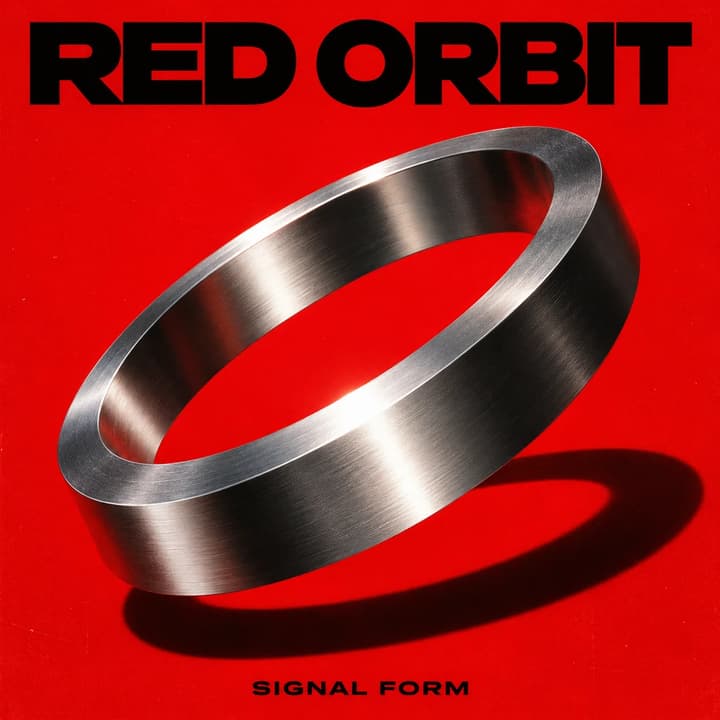
Electronic geometry — A single metal ring carries the design against saturated red.

Electronic geometry

A single metal ring carries the design against saturated red.

Cover description

Brushed-chrome ring floating diagonally on saturated red, hard shadow and subtle grain. Bold black title RED ORBIT at top; artist SIGNAL FORM at bottom.

Load this example
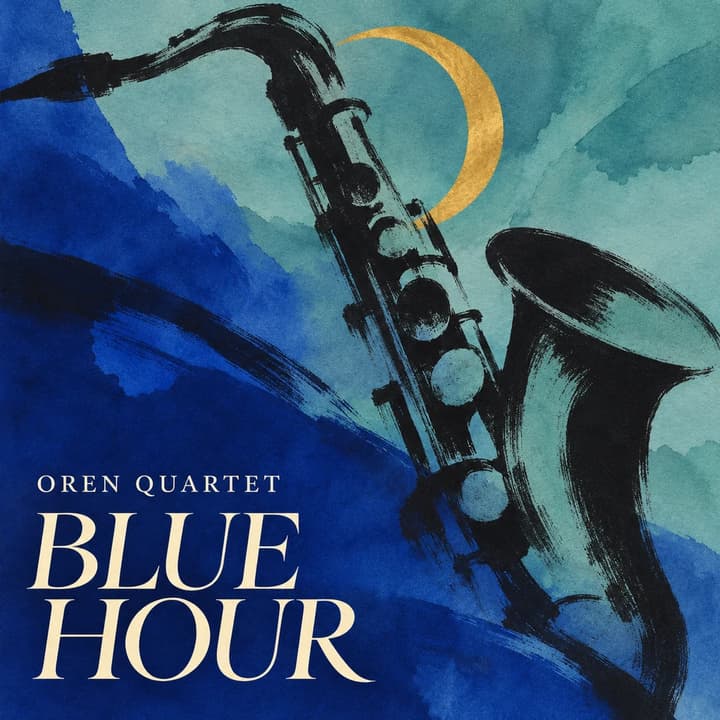
Ink-wash jazz — The instrument and diagonal ink strokes establish the rhythm.

Ink-wash jazz

The instrument and diagonal ink strokes establish the rhythm.

Cover description

Abstract charcoal saxophone across cobalt and turquoise ink washes, small brass-gold crescent. Large cream serif title BLUE HOUR at lower left; artist OREN QUARTET above.

Load this example
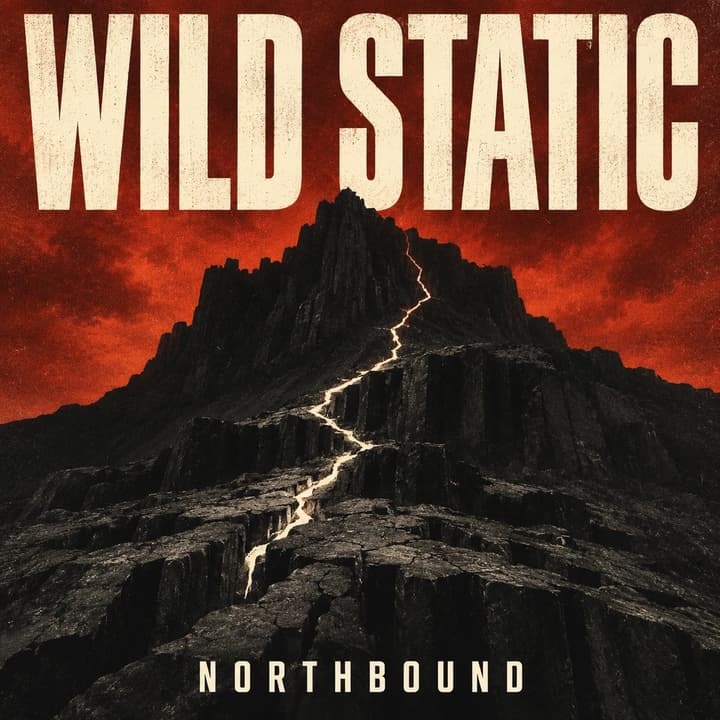
Alternative rock — A dark ridge and pale fissure keep the composition stark.

Alternative rock

A dark ridge and pale fissure keep the composition stark.

Cover description

Black basalt ridge, pale lightning-shaped fissure, rust-red sky, grainy texture. Large off-white title WILD STATIC at top; artist NORTHBOUND at bottom.

Load this example
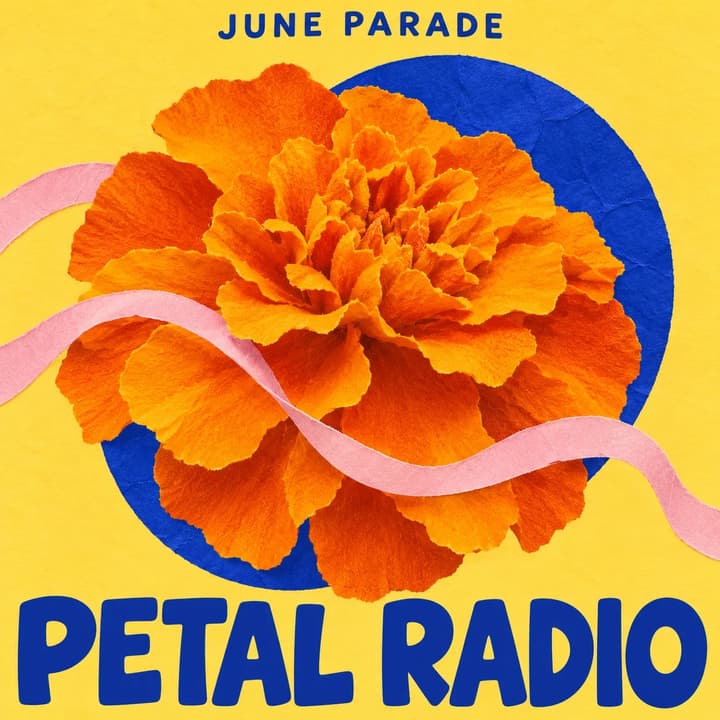
Bright indie pop — A bold flower works with a limited, playful palette.

Bright indie pop

A bold flower works with a limited, playful palette.

Cover description

Orange marigold, cobalt paper circle and pink ribbon on butter yellow, cut-paper collage. Large cobalt title PETAL RADIO at bottom; small artist JUNE PARADE at top.

Load this example
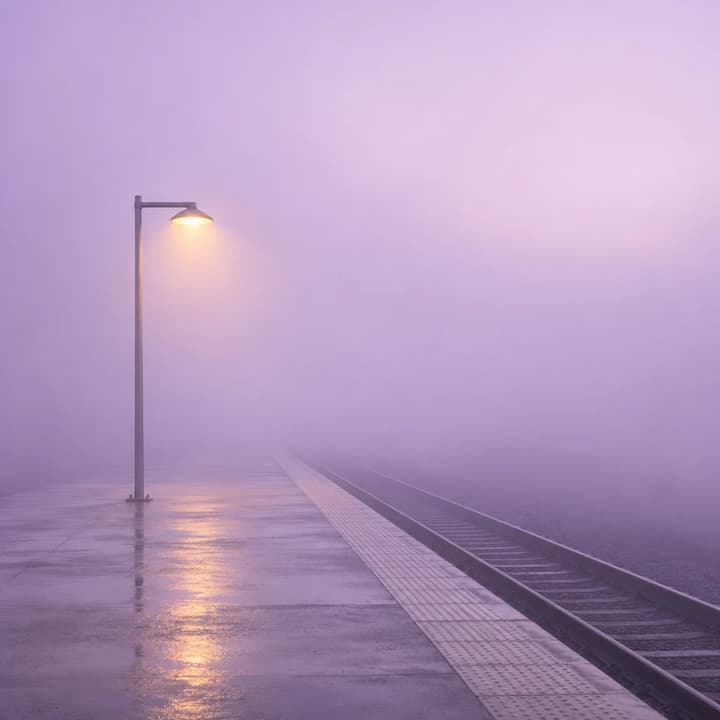
Text-free ambient — One warm light contrasts with a nearly empty misty scene.

Text-free ambient

One warm light contrasts with a nearly empty misty scene.

Cover description

Empty concrete station platform disappearing into lilac mist, one warm yellow lamp, wet ground, minimalist photography. No text, numbers, people or signage.

Load this example
Reference photo
Cover artwork

Portrait soul cover

Keep the subject recognizable while changing the visual treatment.

Cover description

Use this portrait for a soul album cover. Preserve the face, curls, earrings, pose and shirt. Monochrome portrait, dusty coral background, analog grain. Cream title UNSAID at top; artist NIA VALE at bottom.

Load this example

How to make an album cover

1

Describe the cover

Write the subject, mood, colors and any exact title or artist name.

2

Add a photo

Optionally upload a reference, then choose the output resolution.

3

Generate and check

Review the lettering and composition, then download your square cover.

Check the cover before you keep it

At a glance

Shrink the image. The main subject and title should still be easy to distinguish.

Word by word

Check title, artist name and capitalization against your release details.

As a file

Inspect the downloaded dimensions and format against your distributor’s requirements.

Album cover questions

Do I need a reference photo?

No. A description is required; one photo is optional. Upload JPEG, PNG or WebP up to 30 MB.

Can I add a title and artist name?

Yes. Put the exact words in quotes and describe their placement. Text is drawn into the image, so check spelling; it is not an editable text layer.

Can I make artwork without text?

Yes. Write “no text” and omit the title and artist name. You can add typography in a design editor later.

Is the AI album cover generator free?

Generation uses credits. The button shows the cost for the selected resolution. Loading examples does not spend credits.

Is the cover ready for distribution?

Review the actual file, title and artist spelling, and your distributor’s current artwork rules before submitting. Generating a cover does not guarantee acceptance.

AI Album Cover Generator