How to Design a Book Cover

Design a book cover by choosing what it should tell the reader, pairing one main image with clear lettering, and testing that layout small. Then prepare the file for its destination: an ebook front image and a printed full cover are different deliverables.

LumiYing TeamUpdated

Start with the reader's expectation

Write one sentence naming the reader, genre and feeling. A quiet family memoir needs a different visual promise from a fast space adventure. Choose a scene, person or symbol that supports that promise instead of trying to illustrate the whole plot.

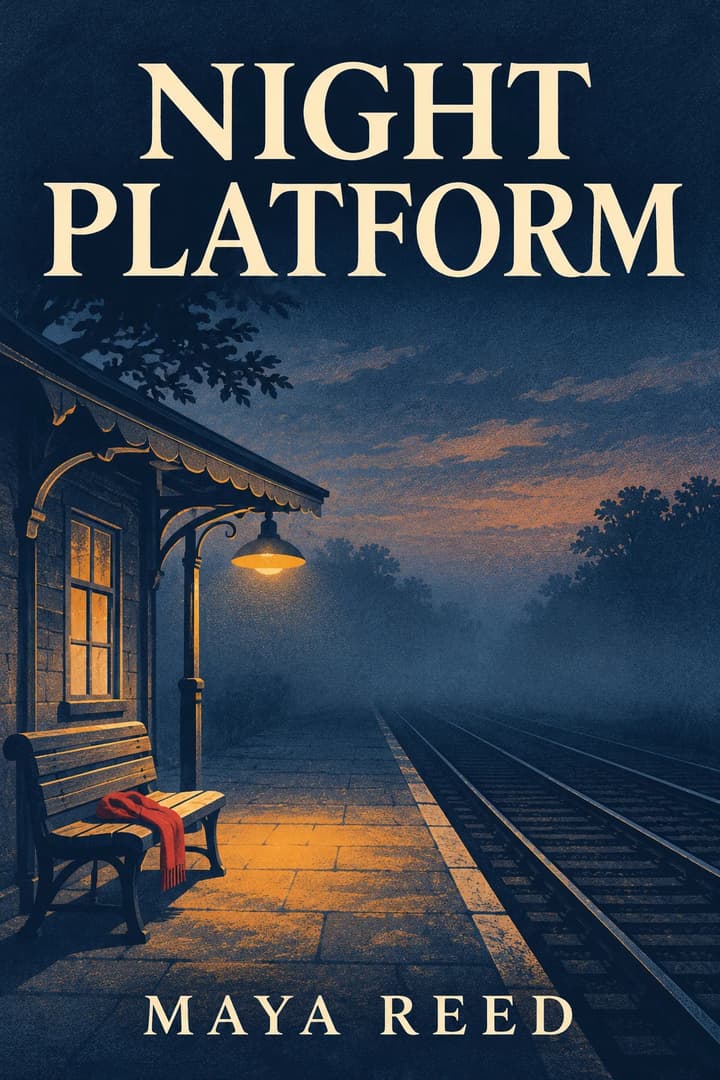
For example, Night Platform uses an empty station, a lamp and an abandoned scarf to suggest mystery. The title sits against a calm dark area. A crowded montage of every suspect would give both the image and the words less room.

From a story idea to a usable cover

  1. Step 1. Write a focused brief

    Name the genre and reader, then choose one focal image. Use the mystery example below as a starting point: replace the station and scarf with details that belong to your book, rather than adding a plot summary.

  2. Step 2. Plan the words and reference

    State the exact title and author, with a quiet area behind the lettering. Upload a photo only if it defines a subject or visual direction. For precise typesetting, request no text and leave space to add it later.

  3. Step 3. Compare a small draft

    Start with 2:3 for a tall concept, 3:4 for a broader one or 1:1 for a square picture book. Choose 1K and review the displayed credit cost. Check the result small, then inspect spelling, faces and details at full size.

  4. Step 4. Refine and prepare the final file

    Re-edit restores the original inputs; change one clear instruction at a time. Choose 2K or 4K if more pixels are needed. Inspect the downloaded file. Resize or lay it out to your publisher's exact specification; for print, obtain the template for the final trim, paper and page count before adding spine and back cover.

Decide what the first draft must contain

Turn your book's premise into a flat cover image. Explore a visual direction for fiction, nonfiction or a picture book, with the lettering you request.

Decide what the first draft must contain

Main image
One focal subject, mood and two or three colors.
Does the subject still read when the cover is small?
Title and author
Exact words in quotes; which line is largest and where it belongs.
Spelling, contrast and whether the title covers the face.
Reference photo
A clear source image and specific details to preserve.
Compare the face or object against the original.
Final format
Front image for an ebook, or artwork to place into a separate print template.
Required pixel dimensions, file type and, for print, trim and full-cover dimensions.

Book cover ideas and prompts

Study a title-led mystery, a simple nonfiction layout and a photo-led memoir. Each example loads the matching inputs; replace the fictional title and author with your own.

Mystery: Night Platform — A single lamp and abandoned scarf suggest a story without revealing the plot.

Mystery: Night Platform

A single lamp and abandoned scarf suggest a story without revealing the plot.

Cover description

Mystery front cover: empty railway platform at dusk, one amber lamp and a red scarf on a bench. Navy and cream screenprint. Large title NIGHT PLATFORM at top; author MAYA REED at bottom.

Load this example
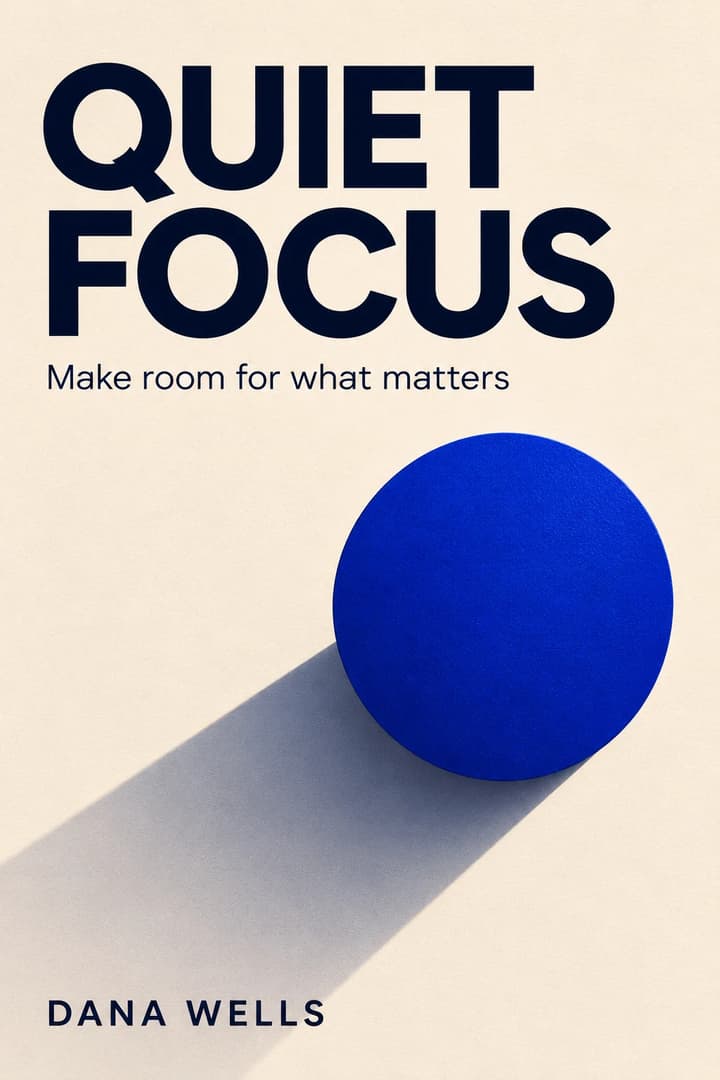

Nonfiction: Quiet Focus — A simple shape leaves plenty of room for the main title and subtitle.

Nonfiction: Quiet Focus

A simple shape leaves plenty of room for the main title and subtitle.

Cover description

Minimal nonfiction front cover. Warm ivory paper, cobalt circle with a long shadow. Large navy title QUIET FOCUS; smaller subtitle Make room for what matters; author DANA WELLS at bottom.

Load this example
Reference photo
Front cover

Memoir from a portrait

Compare the face with the original before choosing the cover.

Cover description

Make a memoir front cover from this portrait. Preserve the face, salt-and-pepper curls, cream shirt and pose. Pale sage photographic treatment and cream background. Dark green title A ROOM FOR TOMORROW above the head; author MARA ELLIS at bottom.

Load this example

Fix the specific problem

Tiny or lost title
Too much detail behind the letters.
Request a calmer area, larger type and stronger contrast. Check the next draft small.
Incorrect words
The model reinterpreted the lettering.
Re-enter the exact words. If precision matters, make text-free art and typeset it separately.
A different face
The reference was heavily restyled.
Return to the original photo and narrow changes to background or lighting.
A 3D book instead of artwork
The description implied a product photo.
Ask for one flat, edge-to-edge front cover with no physical book or spine.
File does not fit the print template
A front-cover ratio was mistaken for full-cover dimensions.
Use the printer's template and place the artwork into its front-cover panel. Do not stretch it across the spine and back.

Book cover questions

Can it include my title and author name?

Yes. Quote the exact words and describe placement. Lettering is part of the image, so proofread it; it is not an editable text layer.

Which cover sizes can I choose?

Choose 2:3, 3:4 or 1:1, at 1K, 2K or 4K. These are generation settings, not publisher templates. Check the downloaded pixels and your destination's requirements.

Can I make a cover without text?

Yes. Write no text and omit title and author instructions. Add your typography in a design editor afterwards.

Does this create a complete paperback cover?

It creates the front-cover image. A paperback or hardcover also needs a correctly sized spine, back cover and print layout.

Is the AI book cover generator free?

Generation uses credits. The button shows the cost for your resolution; loading an example does not spend credits.